How to Reorder AutoNotes in BestNotes Collections
Modified on: Wed, Jul 15, 2026 at 10:45 AM
This article explains how to reorder the display sequence of AutoNotes™ within a specific collection in BestNotes.
No specific BestNotes permissions are required.
Reordering AutoNotes™ within a Collection
- Navigate to the settings area of BestNotes and click on AutoNotes™.
- Locate the collection that needs to be reordered and click on it to open.
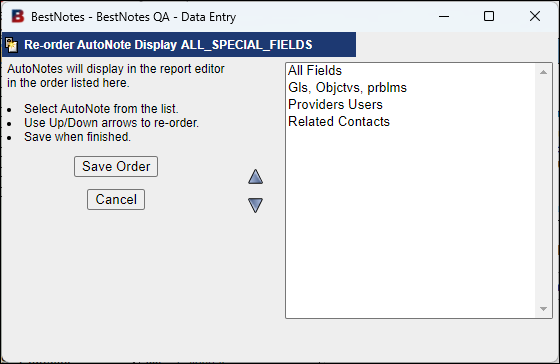
- Click on the reorder icon on the right side of the AutoNote™ collection title bar.
- In the reorder view, highlight the individual AutoNotes™ and reorder them using the arrows next to the AutoNote™ selection pane.
Back to top of page