This article explains how to use special formatting codes within the BestNotes Treatment Plan Library for goals, objectives, interventions, and custom problems.
Permissions Required
- Manage Tx Plan Library
Using Special Codes in the Treatment Plan Library
This section outlines how to navigate to the Treatment Plan Library and utilize special codes for formatting text within goals, objectives, interventions, and custom problems.
Navigate to Treatment Plan Library
- Navigate to "Settings" and "Tx Plan Library."
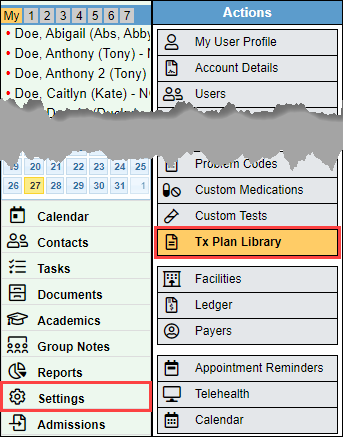
- This will bring you to the main window for the Treatment Plan Library.
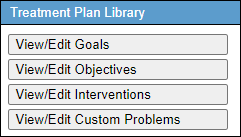
Special Codes for Goals, Objectives, and Interventions
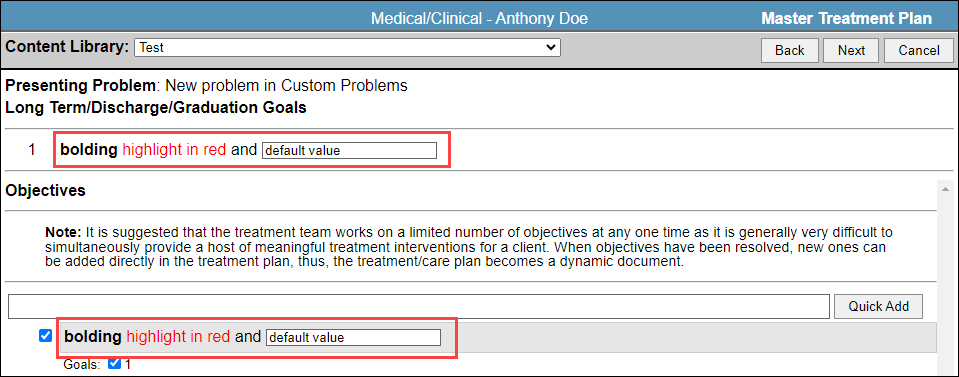
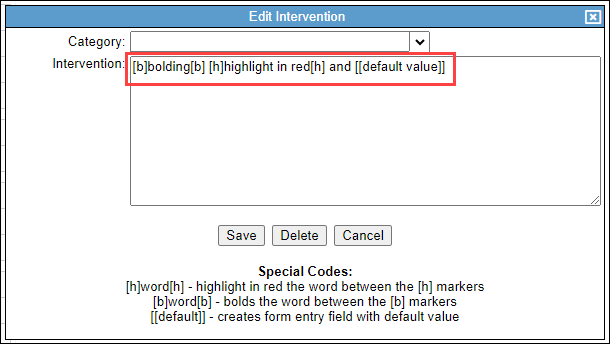
When you are creating goals, objectives, and interventions, you can use special codes to format the text:
- [b]word[b] will bold the word between the markers
- [h]word[h] will highlight the word in red between the markers
- [[default]] will create a text field and any words between the markers will be the default text.
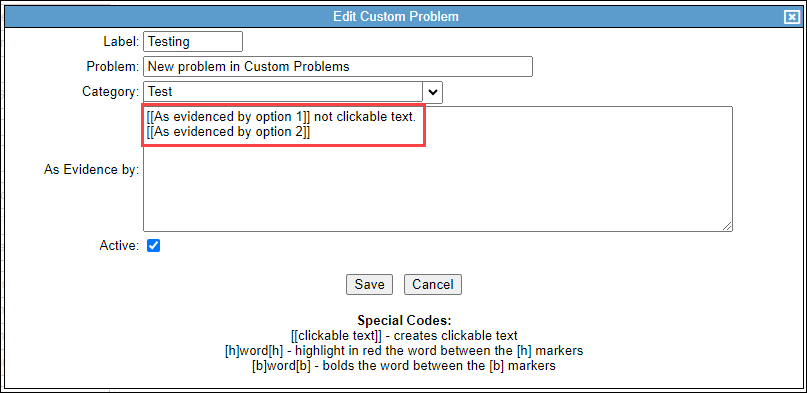
Special Codes for Custom Problems
When you are creating custom problems, you can use special codes to format the text:
- [b]word[b] will bold the word between the markers
- [h]word[h] will highlight the word in red between the markers
- [[clickable text]] will create a selectable option for the content within the markers.
Next Steps
- See also: Manage Goals
- See also: Manage Objectives
- See also: Manage Interventions
- See also: Custom Problems