This article provides steps to resolve file download errors in BestNotes, specifically when encountering messages like "/Users/bestnotes/Desktop/82MnHHPh.exe.part could not be saved, because you cannot change the contents of that folder..."
Permissions Required
No specific BestNotes permissions are required.
Resolving File Download Errors
When you download a file from BestNotes and receive an error similar to this: "/Users/bestnotes/Desktop/82MnHHPh.exe.part could not be saved, because you cannot change the contents of that folder...", use the following steps:
- Close BestNotes.
- Open Finder.
- From the Finder menu, choose GO.
- At the bottom of the list select Go To Folder
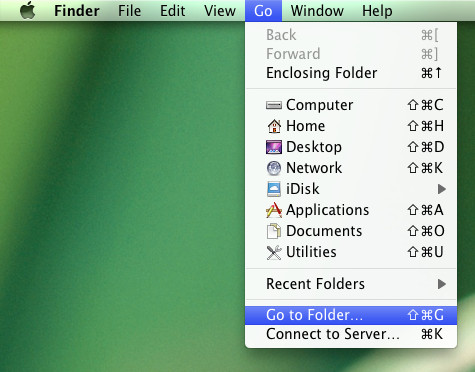
- Type: ~/Library/Preferences/

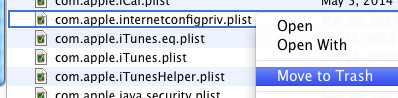
- Find the "com.apple.internetconfig.plist" file and delete it.
- Close Finder.
- Open BestNotes.
You will now be able to download files in BestNotes again.
Back to top of page