Sending the Academic documents to the portal for students and parents.
Permissions Required
- Web Portal
- Administrator
- Academic Reports
- Registrar
- Teacher
Sending Academic Reports to the Portal
To send any documents to the portal, the "Web Portal" permission is required.
Additionally, to send academic reports specifically, the user must have one of the following permission sets: "Administrator" only, "Academic Reports" and "Registrar", or "Teacher" and "Registrar."
- Navigate to the student's chart.
- Select the "Academics" tab.
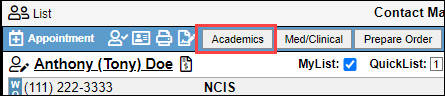
- Select the "Reports" tab.

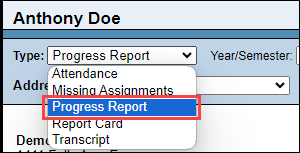
- All of the reports in this drop-down can be sent to the portal by performing the same steps for each report. To demonstrate this process, we are going to use the "Progress Report." In the "Type" drop-down, select "Progress Report", or the report that you wish to send.
- Select the Portal (Globe icon) button.

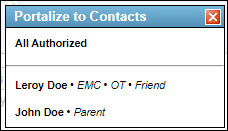
- Select the parent you would like to send the report to.
- You will select "Save to Log" to save the report to the student's Activity Log. From the Activity Log, you can send the progress report to the students portal.
