This article outlines the procedure for cancelling your BestNotes subscription.
Permissions Required
- System Administrator
Cancelling Your BestNotes Subscription
To cancel your BestNotes subscription, your System Administrator account must have a verified email address.
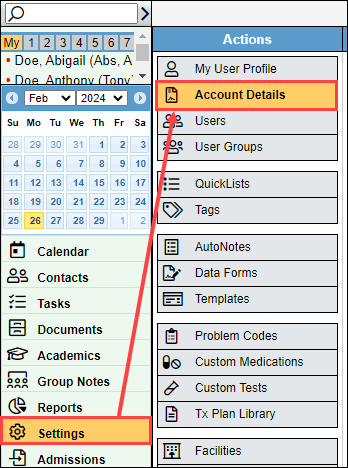
- Log into your BestNotes account. Navigate to "Settings" then select "Account Details."
- Below the "Subscription Information" section, select the "Cancel Subscription" button.

If you have any additional questions regarding this process, you can submit a support ticket, or call (866) 543-6646.
Back to top of page