This article provides a comprehensive overview of the updates and new features introduced to the BestNotes mobile application throughout 2021, organized by release version.
Permissions Required
No specific BestNotes permissions are required.
Mobile Application Updates (2021)
Release 4.0.20 November 2021
Data Form Management Update
You can now manage which Data Forms are visible directly from a client's chart on the mobile application.
- From the client's chart, select the "More" section.
- Select "Forms."


- Select the "Edit" icon.
- You can now manage the visibility of Data Forms.


Portal Applications Update
Portal applications that have been imported to BestNotes on the desktop application are now viewable on the mobile application.

Activity Log and General Log Update
The paging system for the Activity Log and General Log has been updated to match the desktop application, providing a more consistent experience and faster loading times on mobile.

Release 4.0.17 October 2021
Contact Updates
Users now have more features available on a contact's page.
- Navigate to a contact and select the "More" option.
- You will see you have additional options:
- Allergies are available as a read-only option.


- Data Forms (Forms) are available to fill out for the client.

-
- Medications are available as a read-only option.


- Test Results are available as a read-only option.
-
- Vitals are available as a read-only option.


All of these areas will be fully functional at a later date.
Release 4.0.15 August 2021
Task Update
You can now view and interact with the Task area in BestNotes on the mobile application.
- Access the main task area by selecting the "Tasks" option in the main menu.
- When viewing tasks from the main Tasks area, you now have the option to show completed tasks.


- Creating tasks now gives you the ability to add a contact to the tasks, which is currently only available in the Mobile app.
- To access tasks on a contact's page, select the "More" option in the bottom menu bar, then select "Tasks."


My Account Update
New items are available when accessing "My Account" in "Settings." You will now see your Q-Log email address and have the ability to set your appointment notifications.


Documents Tab Update
When a folder is empty, an indented line will now follow the folder stating "Folder is empty."

Custom Pronouns Update
Custom pronouns are now available as an option in the mobile application when updating a client's demographics.

Release 4.0.12 July 2021
Contact Type Update
When updating the contact type, you will now receive a confirmation alert.

Q-Log Updates
The mobile application now offers enhanced Q-Log functionality:
- You can now log a Q-Log to a contact from the mobile application.
- By selecting a contact that is added to the Q-Log, you can remove that contact.


- You also have the ability to restrict the Q-Log to a specified group.
- The ability to update an existing Q-Log is also available.


Login Screen Update
The title for the "PIN" on the login screen has been updated to "Create Pin (select a 4 digit pin to unlock the app)" for more clarity. Each time you log in, you will create a unique PIN to re-enter the application when it is locked.

If your settings are updated to include biometrics, you can also re-enter the application using biometrics. With this enabled, your locked screen will have both options.


Filter Update
When viewing the filter list for the General Log or the Activity Log, the notes are now placed in alphabetical order.


Release 4.0.11 May 2021
Q-Log Update
All Q-Logs that are logged to a contact's chart will no longer be editable on the mobile device. These Q-Logs will need to be updated from the Q-Log area, as it is on the desktop application.

Contact Update
Any contacts marked as read-only on the desktop will also be read-only in the mobile application.

For Review Tab Update
Tag notifications will now be shown in the "For Review" tab on mobile, a feature previously only available on the desktop application.

Release 4.0.10 April 2021
Date Picker
The date selector has been updated to display a calendar rather than a scrolling menu, making date selection easier.

Contact Search
When searching for a contact, there will now be a 3-character minimum to increase the accuracy and speed of returned results.

Q-Log
When creating a Q-log, the text field will now resize as text is entered.

Basic Note Types
When working in basic note types, if text is pasted into the note, all HTML formatting will be removed to provide a cleaner note.
Documentation
When editing documentation from the mobile app, the document will be marked as being in use by the user. This prevents issues of the same document being updated by a user in the computer application and the mobile application at the same time, which could result in lost data.
When a document is locked and then accessed using the mobile application, it will no longer appear editable, preventing unsaved changes.
Release 4.0.7 February 2021
Mobile Calendar Updates
Several updates have been made to the calendar:
- You now have the ability to set an appointment as private, which will show the appointment to other users in the desktop application as 'busy'.
- You can also set an appointment reminder from the mobile app. The notification will appear when logged into the desktop application at the time indicated.


- When viewing calendar appointments created in the desktop application, you will now see the appointment "Type," "Facility," and "Contacts." This is currently read-only but is a step towards future mobile editing capabilities.

You will also be able to see the status of the appointment from the calendar page and from within the appointment details.


Notes and Templates Update
When filtering the type of document from the General Log or the client's Activity Log, you will now see all active and inactive note types and templates. Previously, this only displayed active notes and templates.


The "New Note" drop-down on the client's page will only display active note types and templates. The note type in the Q-log will also show active note types only.


QuickList Update
From the contact's page, when viewing "Settings," you now have the ability to add that contact to one of the 7 QuickLists. The ability to view additional QuickLists will come in a later update.

Template Update
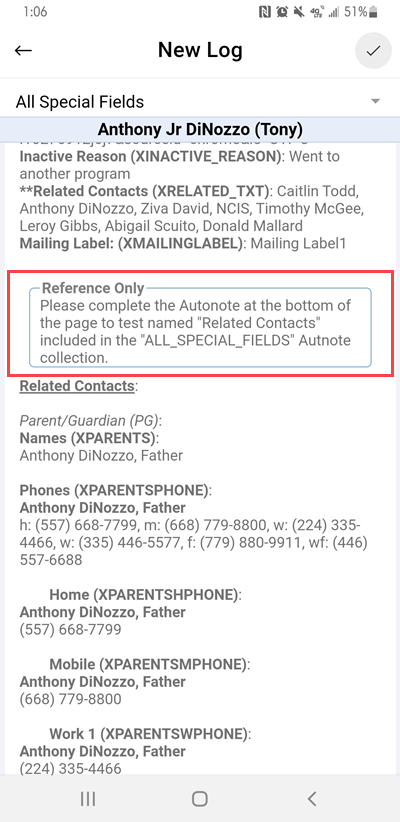
When working with a template, the "Reference Only" section will only be visible when editing the template and will no longer be visible when viewing the locked template.

When creating a basic note or editing an existing one, the text area will expand as you enter additional text.
