This article guides you through the process of verifying your email address in BestNotes, which enables you to reset your password and enhance account security.
Permissions Required
No specific BestNotes permissions are required.
Verifying Your Email Address
- Navigate to "Settings" and select "My User Profile."
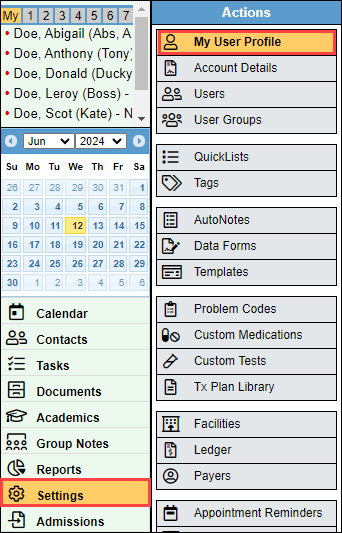
- Select "Send Verification Code" below "Account Verification." The verification code will be sent to the email listed above the "Send Verification Code" button.

- In your email, you will find the verification code.
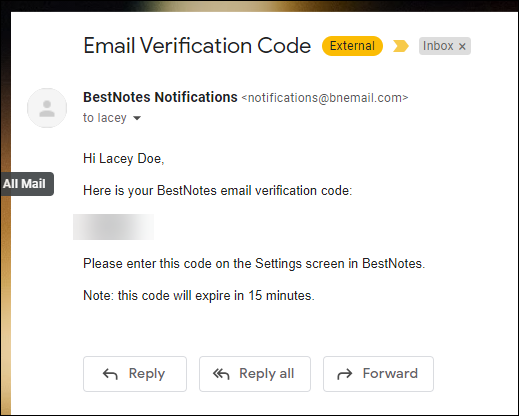
- Enter this code into the "Verification Code" field located in the "My Account" area, and select "Verify Code."

- You will now see a green checkmark confirming that your email address has been verified.

Next Steps
- See also: How to reset your password
- See also: How to Enable 2-Factor Authentication