This article provides troubleshooting steps for when a student is not displaying in the gradebook, often due to incorrect or unrefreshed academic year or enrollment dates.
Permissions Required
No specific BestNotes permissions are required.
Troubleshooting Academics Display Issues
When a student is not displaying in the gradebook, this can be a result of dates not being entered in the "Academic Year", or the dates being entered after a student was enrolled in the section. Follow the steps below to correct this:
Verify Dates in Academic Years
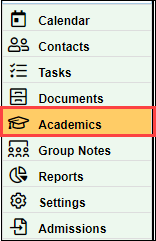
- Navigate to the "Academics" tab in the bottom left menu of BestNotes.
- From the "View" drop-down, select the "Admin" option.

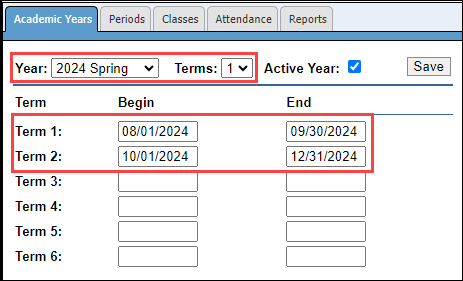
- Select the "Academic Years" tab.

- Verify the correct "Year" and "Term" and be sure that there are dates for each term.
Verify Dates in Student Enrollment and Refresh Enrollment
Once you have added or verified your term dates in the "Academic Year" tab, you will need to verify the dates for the missing student. If the dates are correct, then you will need to update the date to refresh the enrollment. To do this, follow the steps below:
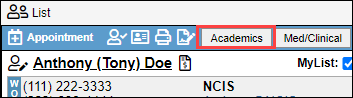
- Navigate to the missing students chart and select the "Academics" tab.
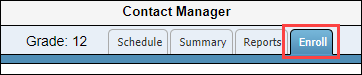
- Select the "Enroll" tab.
- For the class they are missing from, select the "Details" button.

- Change either the "Begin" or "End" date, change the date back to the original, and select "Save."
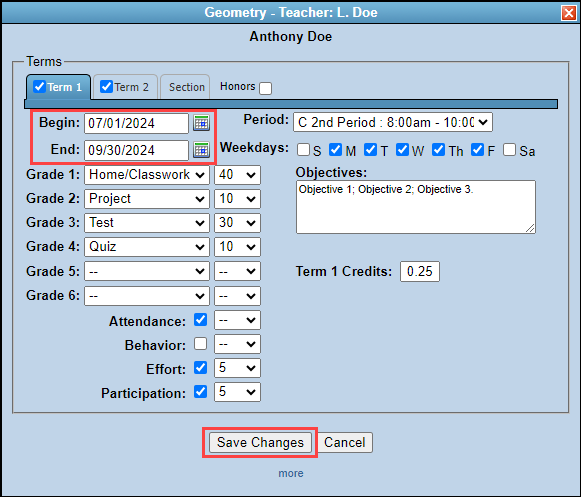
This will refresh the students enrollment, and the student will display on the gradebook for the teacher.
Back to top of page