This article explains the process for deactivating DrFirst and what to expect.
Permissions required
The user making the request must be a System Administrator in order to continue.
How to Cancel DrFirst
If you decide to stop utilizing DrFirst for ePrescibing, please send an email to 'Team@BestNotes.com' requesting to cancel.
- Any prescribing (provider) accounts will be deactivated at cancellation. No refunds or partial refunds are available. Ensure that no prescriptions need to be sent prior to cancellation.
- Once BestNotes Support receives your request to cancel we will begin this process. The estimated time for completion is 1-2 business days.
- After DrFirst is removed all users will manage medications through Med/Clinical utilizing the New Entry button the same way medication management occurred prior to DrFirst. Medications (Video) : BestNotes Classic Edition
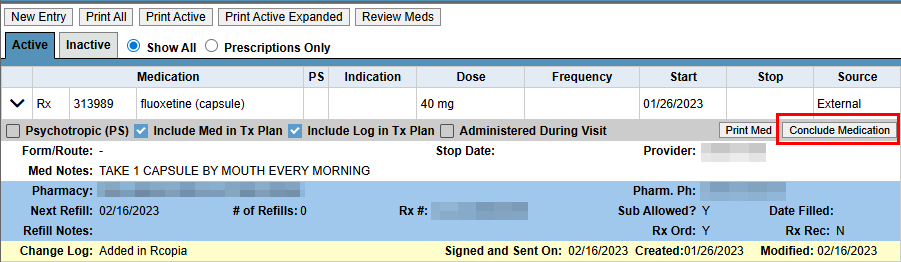
- All medications added in DrFirst will remain in Med/Clinical after the cancellation.
- Medications added in DrFirst can no longer be modified. The only option after DrFirst cancellation is to Conclude Medication.
If you have any additional questions, please contact BestNotes Support at (208) 543-6646.