This article explains the purpose of each report available in the CRM section of Reports and how these reports provide visibility into business contacts, referrers, inquiries, and related CRM reporting.
All CRM reports are accessible within the Reports section of BestNotes.
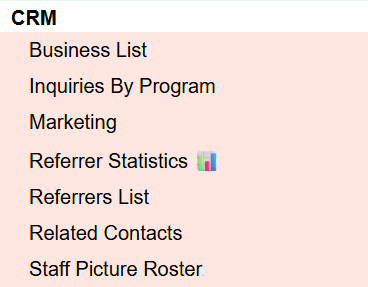
CRM Reports – Table of Contents
Business List
The Business List report displays a list of business contacts within the selected criteria. This report supports review of business contact records used for CRM tracking.
Inquiries By Program
The Inquiries By Program report displays inquiry activity organized by program within the selected criteria. This report helps users review inquiries in relation to program categories.
Marketing
The Marketing report displays marketing-related CRM information within the selected criteria. This report provides visibility into marketing tracking data associated with CRM records.
Referrer Statistics
The Referrer Statistics report displays summary statistics related to referrers within the selected criteria. This report helps users review referrer activity and trends.
Referrers List
The Referrers List report displays a list of referrer contacts within the selected criteria. This report supports review of referrer records used in CRM tracking.
Related Contacts
The Related Contacts report displays contact relationships within the selected criteria. This report provides visibility into linked or related contacts in CRM records.
Staff Picture Roster
The Staff Picture Roster report displays a list of staff members with pictures within the selected criteria. This report supports staff identification and roster review.
Back to top of page