To ensure our appointment reminders continue to reach your patients reliably, we have updated our SMS opt-in workflows. These changes align BestNotes with the latest industry-wide telecommunications regulations, protecting your practice from being flagged for non-compliance.
Why are we making this change?
Telecommunications carriers have significantly tightened regulations regarding automated "short code" messaging (like our 94585 alerts). To ensure our messages are not blocked or flagged as spam, we are implementing stricter consent tracking as outlined in the CTIA Short Code Monitoring Handbook.
By capturing explicit, auditable consent, we ensure your appointment reminders remain compliant and maintain the highest delivery rates possible.
Visual Status Tracking
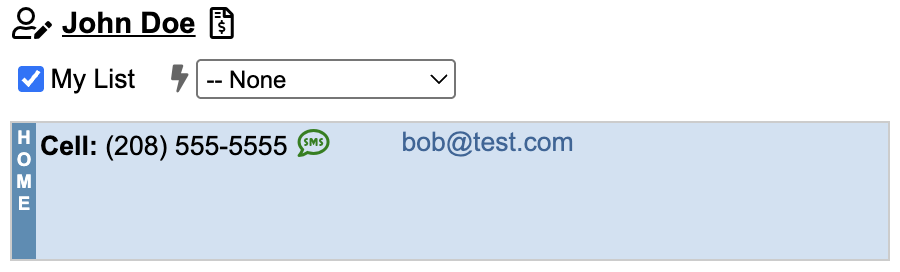
We’ve added clear visual cues to the patient chart header so you can see reminder status at a glance without opening a profile:
- Blue SMS Icon: The patient has not yet completed the opt-in process. Automated appointment reminders are currently inactive.
- Green SMS Icon: The patient is opted-in. Appointment reminders are active.
Capturing Consent
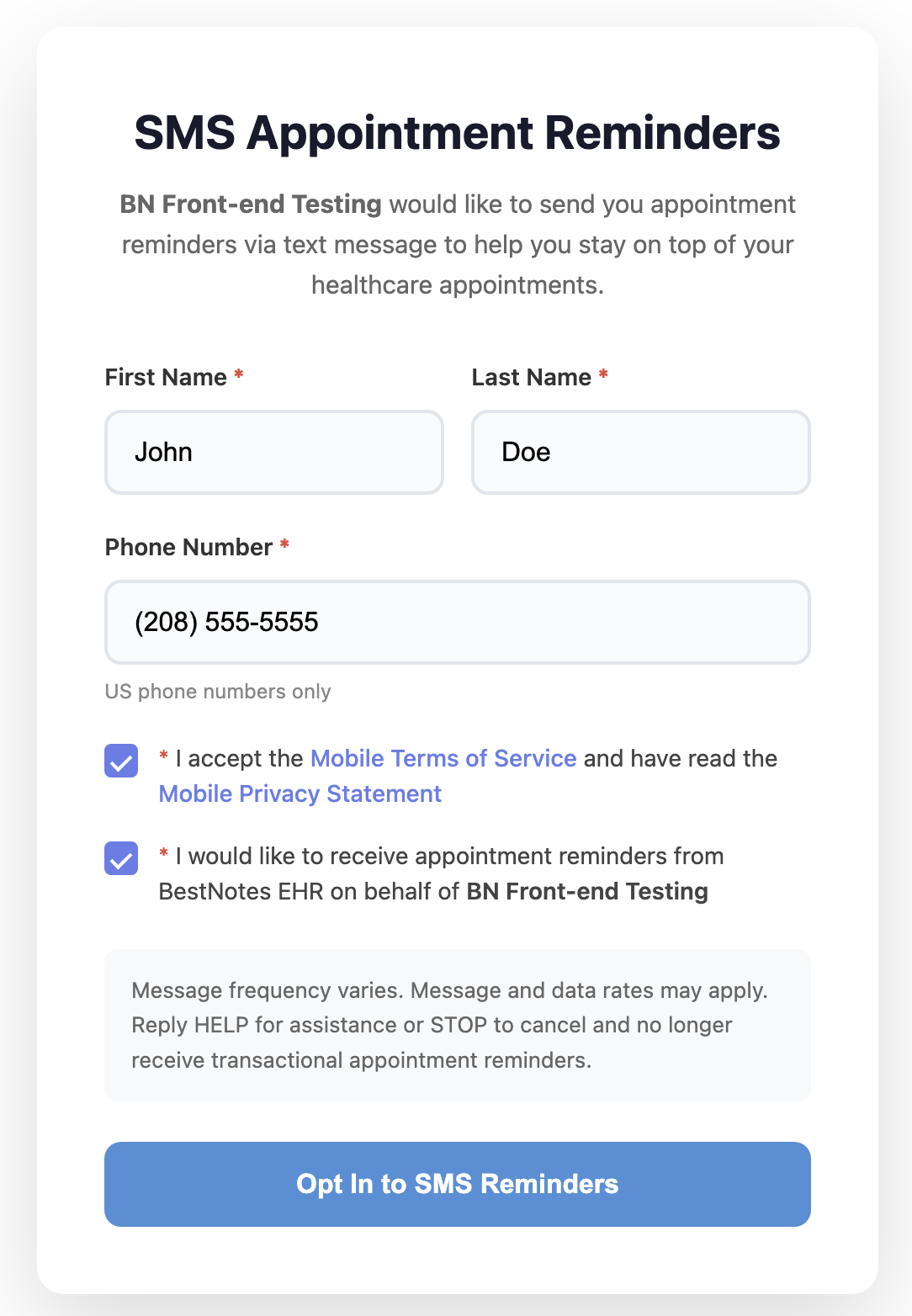
Digital Opt-In (Email Invitation)
The system now automates the collection of digital consent once initiated by a provider.
- In the Edit Client screen, enter a valid mobile number and primary email.
- The Notify via SMS checkbox will now become available. Check this box to initiate the process.
- A secure opt-in link is automatically sent to the patient's primary email address.
- Once the patient submits the digital form, the icon turns Green instantly, and the checkbox is fully enabled.
Verbal Opt-In (In-Person or Phone)
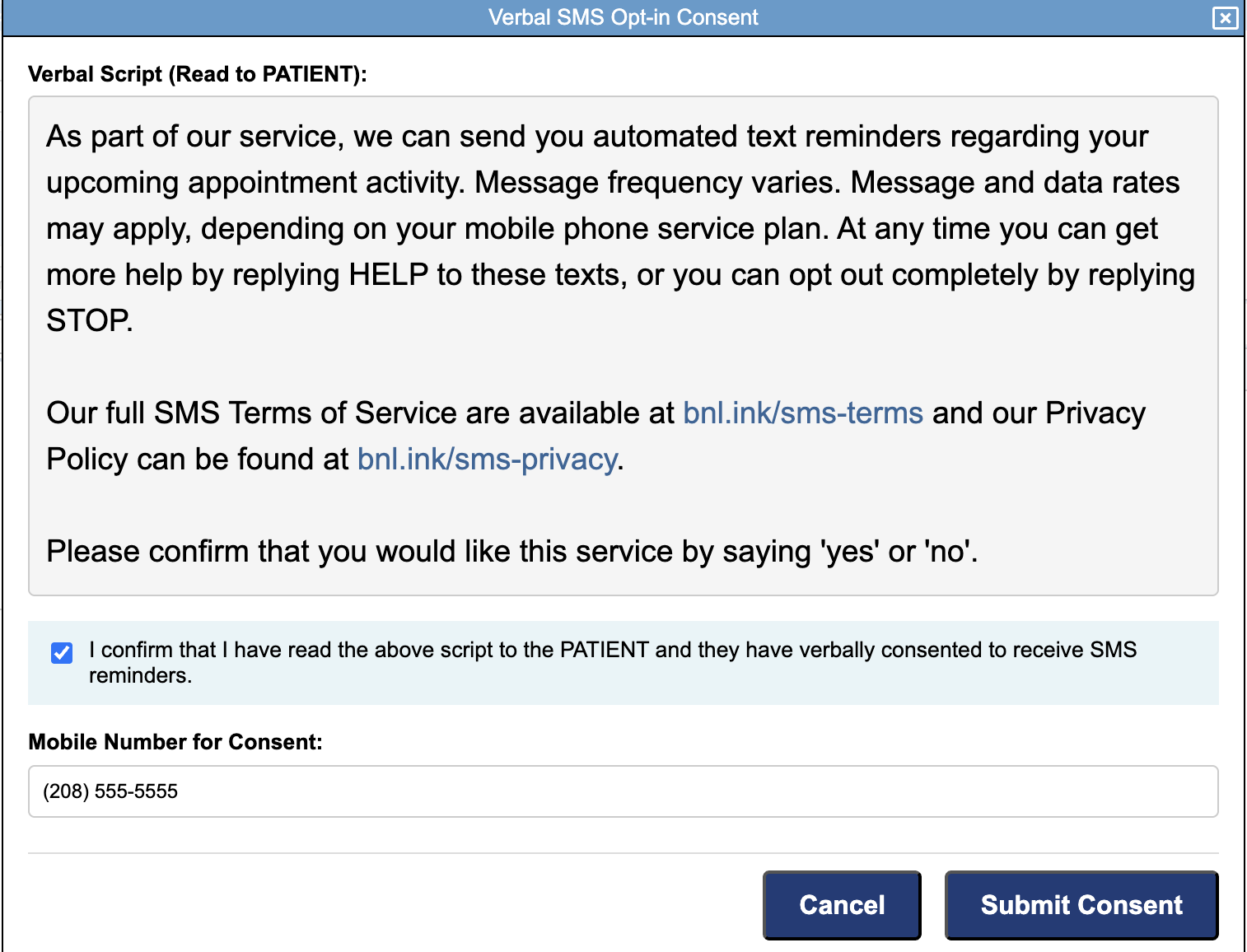
If you are speaking with a patient who wants reminders active immediately:
- Navigate to the patient's Edit Details.
- Click the Record Verbal SMS Opt-In button at the top of the chart.
- Read the legal script exactly as it appears in the modal window.
- Confirm their mobile number and click Submit Consent.
- The system immediately logs the action and enables reminders.
Compliance & Opt-Outs
- Patient-Led Opt-Out: If a patient texts STOP, QUIT, or CANCEL to 94585, BestNotes immediately disables their appointment reminders and logs the date/time. To protect patient choice, you cannot manually re-enable this; the patient must complete a new digital opt-in form to resume reminders.
- Provider-Led Opt-Out: If a patient asks you to stop reminders, unchecking the Notify via SMS box will automatically record your Username and a Timestamp in the audit log to maintain a clear compliance trail.
- Note on Migration: We have migrated all existing Notify via SMS settings into this new system. Your current active patients do not need to re-opt in. For tracking purposes, all migrated records share a specific, unified timestamp in the audit log to identify them as pre-existing consents.
Have questions about carrier compliance? You can review the full CTIA Short Code Monitoring Handbook for further details on messaging requirements.
Back to top of page