Academic years and departments are customized by BestNotes. Your onsite System Administrator will need to submit a support ticket to have your desired years and departments added into BestNotes. Once that has been done, you can set your terms and choose your active year.
Permissions Required
- Administrator
- System Administrator
Managing Academic Years
Manage Academic Years
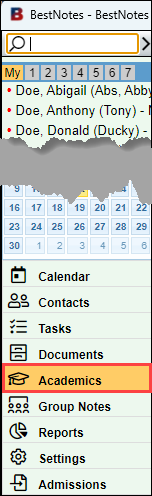
- Select "Academics" in the bottom left menu.
- In the "View" drop-down, select "Admin."

- Select the "Academic Years" tab.

Set the Terms for the Year
The Terms will need to be set before creating classes and enrolling students.
In the "Year" drop-down, select the desired year.

In the "Terms" drop-down, select the number of terms to be included in the year. 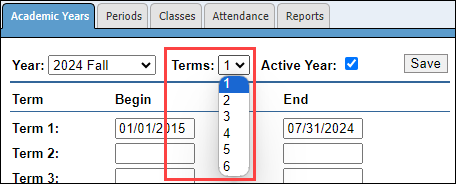
For each "Term" define the "Begin" and "End" dates.

Select "Save." 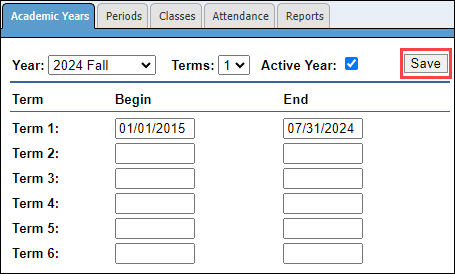
Choose the Active Year
- Select the year that you would like to be active from the "Year" drop-down.

- Select the box labeled "Active Year."
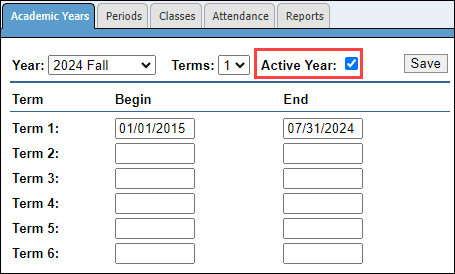
- Select "Save."
