This article explains how to open, manage, and view tasks within BestNotes, including assigning tasks, changing priority, and viewing completed tasks.
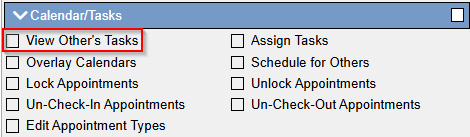
Permissions Required
- View Other's Tasks
Managing Tasks
Opening and Modifying Tasks
- Click on Task.
- Once a task is opened, you can perform the following actions:
- Assign it to someone else using the Assigned to drop-down box.
- Change its priority.
- Mark the task as:
- Pending
- In-Process
- Complete
Viewing Completed Tasks
- Open the Task section.
- Click on the Show Completed checkbox at the top.

- On this same page, you can view other users' tasks from the top-right if you have the Overlay Tasks permission.