This article provides instructions on how to generate and print a Contact Sheet, also known as a Data or Face Sheet, for a client in BestNotes.
Permissions Required
No specific BestNotes permissions are required.
Printing a Contact Sheet
- Go to Contact
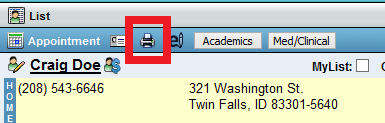
- Click the Printer icon to Print Contact Sheet.
- Select options.
- Print
OR - Save file as PDF (Click Here for steps).
