This article explains how to resolve the "Group Note Access Denied" message, which occurs when a Group Note is improperly closed.
Permissions Required
No specific BestNotes permissions are required.
Resolving Group Note Access Denied
If you receive this message when opening a Group Note:

The user who started the Group Note clicked the Red X instead of the proper BestNotes Close buttons.
To allow access to the Group Note, follow these steps:
- Inform the user, who closed the Group Note window, to return and click one of the "Save" and/or "Close"buttons.
- NOTE: The Close/Cancel button will prompt the user to:

- If the information is still correct in the Group Note, then click OK.
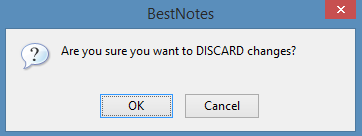
- If it is not, click Cancel, re-enter the necessary information and click Save.
- This will close the Group Note.
- This Group Note should now be accessible.