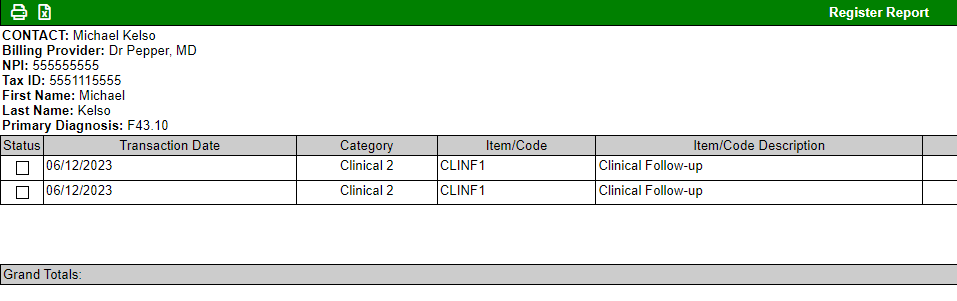
This article explains how to generate a Superbill using the Special Register/Ledger Report in BestNotes, providing contacts with the billing data they need for insurance submission.
Permissions Required
- Reports
- Ledger - Report All Providers
- Ledger - Pay Rates
Generating a Superbill with the Register/Ledger Report
If you do not have the necessary permissions (Reports, Ledger - Report All Providers, Ledger - Pay Rates), contact your BestNotes System Administrator.

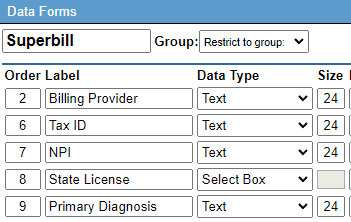
Setting Up the Superbill Data Form
- Create a data form in BestNotes titled "Superbill".
- Add fields for Provider NPI and any other information you would like included in the contact's superbill header.
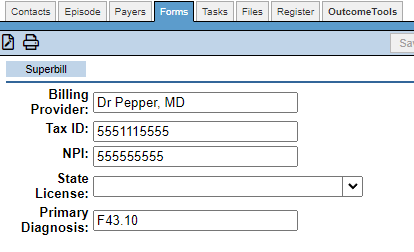
Adding Superbill Data to a Contact
- Add the Superbill data form to the contact and fill out superbill header information appropriate for this contact.
Running the Register/Ledger Report
- Run the Register/Ledger report.
- Add any filters desired.
- Set Group By to: Contact then: None.

If sending the Superbill through the portal from the Reports or client's profile screen:

Example of Register Ledger report for a contact using the Superbill data form.