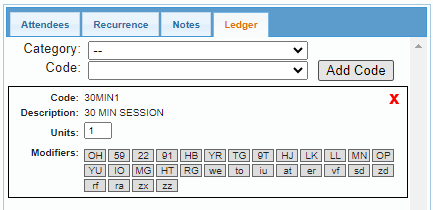
The Ledger Tab within the Calendar Appointment dialog displays billing codes associated with the appointment. BestNotes users are able to add, remove, and modify these codes before the codes are applied at check-out.
Permissions Required
No specific BestNotes permissions are required.
Managing Ledger Codes in Calendar Appointments
Accessing the Ledger Tab
- Create a new appointment or open an existing one.
- Select the "Ledger" tab located above the contact information.
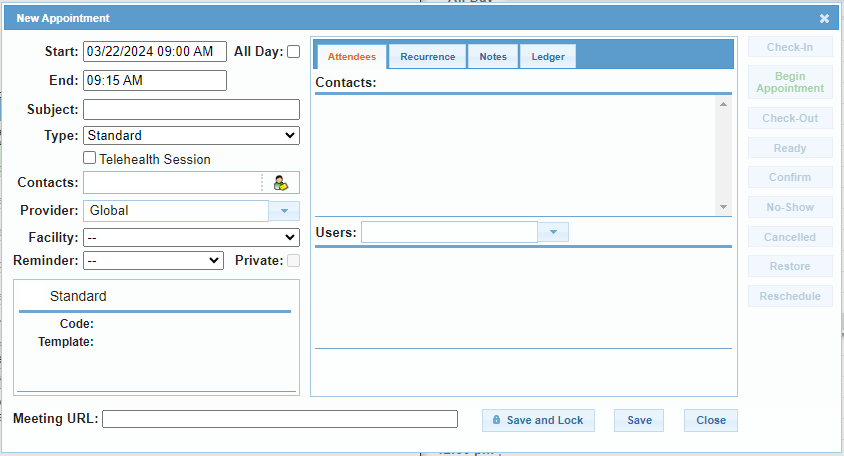
Features and Functionality
- Appointment-Specific Edits: Changes made to the billing codes in the Ledger Tab affect only the current appointment or the appointments within a series, if applicable.
- Default Codes: Default billing codes, units, and modifiers associated with the selected appointment type will automatically populate.
- Billing Rate Logic: The system first applies the patient's fee schedule rate, if available. If no fee schedule exists, the system applies the default bill rate.
- Pre-Checkout Modifications: Billing codes can only be added, removed, or modified before the appointment is checked out. Once checked out, the codes are applied to the contact's register.
Adding and Removing Codes
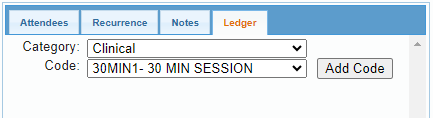
- Select a Code and Category from the drop-down options, then select "Add Code".
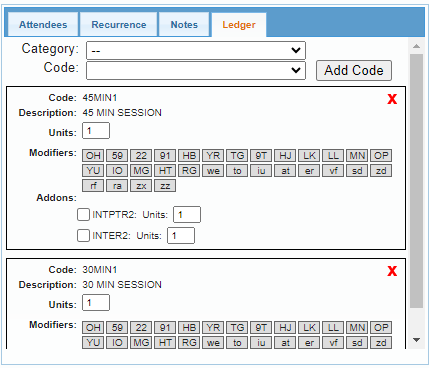
- Select the red "X" to remove a code.