This article provides tips and tricks for effectively printing reports within BestNotes.
Permissions Required
No specific BestNotes permissions are required.
Printing Reports Tips and Tricks
- Export long reports (e.g. Med/Clinical Report with many columns) to a spreadsheet program (e.g. Excel) that can do better page formatting for printing.
- Multiple column reports can be spread out using the Legal Paper setting (11x17 inches).

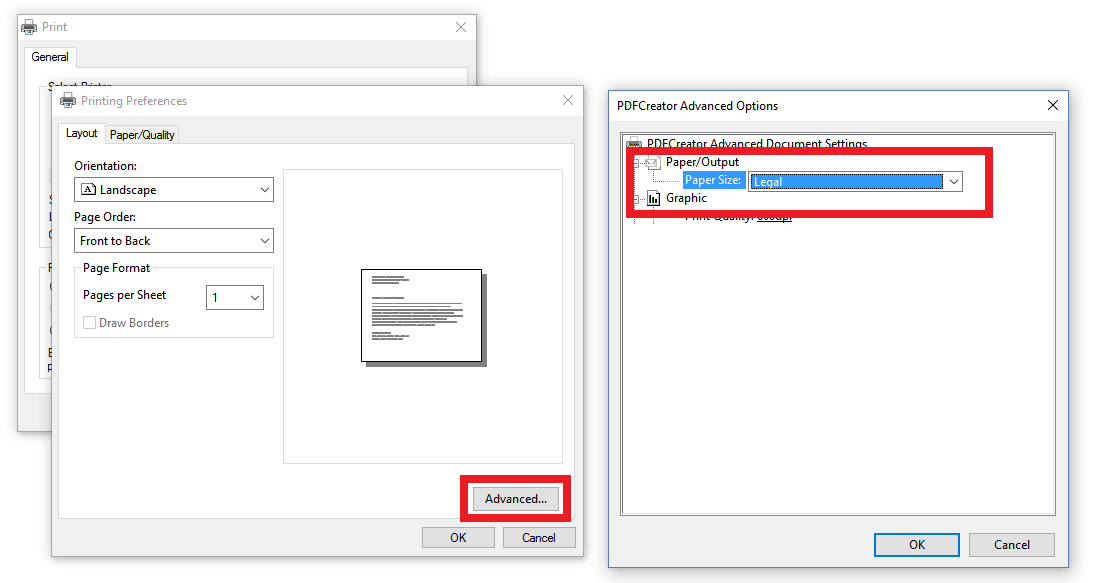
- Also, switch to Landscape.
- Print to PDF using the above formats to save electronically:
- If you have Windows 10, use the built-in Microsoft print to PDF option.
- If you have a Mac (Apple), use the built-in print to PDF.