Once both user accounts have been set up, you will have received two emails to set up two passwords: one from the Independent Billing Services account, and one from the BestNotes account. You will also have received an email from a BestNotes staff member with your BestNotes download and server connection information. Once you have that information, you can log in.
Permissions Required
No specific BestNotes permissions are required.
Logging In as an Independent Billing Service
To move forward, be sure you have the following information:
- Admin Site ID.
- Your User ID and password for the BestNotes account.
- Your User ID and password for the Independent Billing Service account.
To log in as the Billing Service, follow the instructions below:
- Open BestNotes.
- Connect to the BestNotes server.
- Once connected, you will see your dashboard.
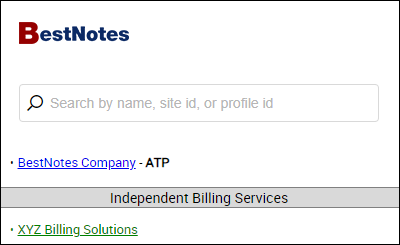
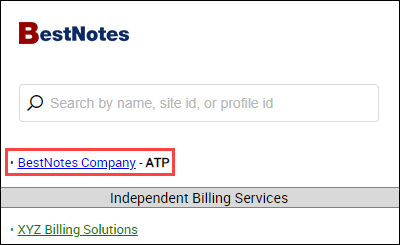
- The BestNotes accounts will appear at the top with blue links.
- The billing service will be listed under "Independent Billing Service" with green links. This company should only be accessed to manage the Independent Billing users.
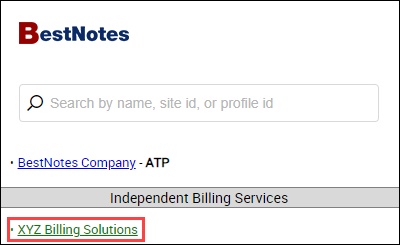
- Select the blue link for the account that you need to access.
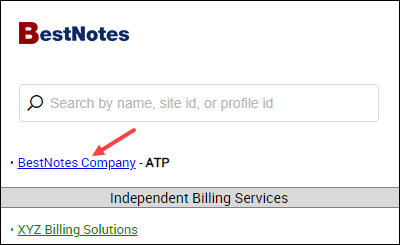
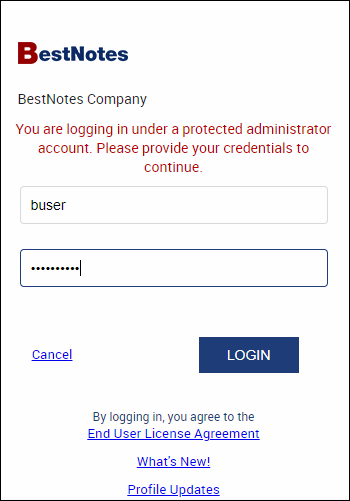
- In the first login window, use the "User ID" that you received from the BestNotes account, and the password that you created for that account. This logs you in as the Billing Service.
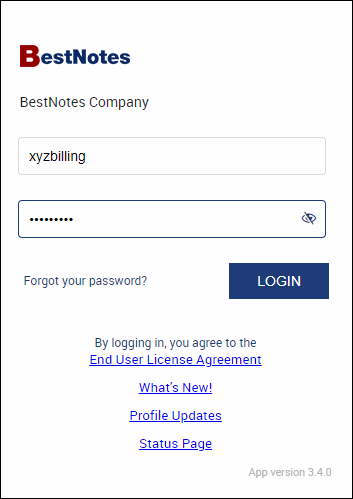
- In the second login window with the red text, you will enter your secondary login that you received from the Independent Billing Service account, and the password you created for that account. This logs you in as the specific Billing Service user.