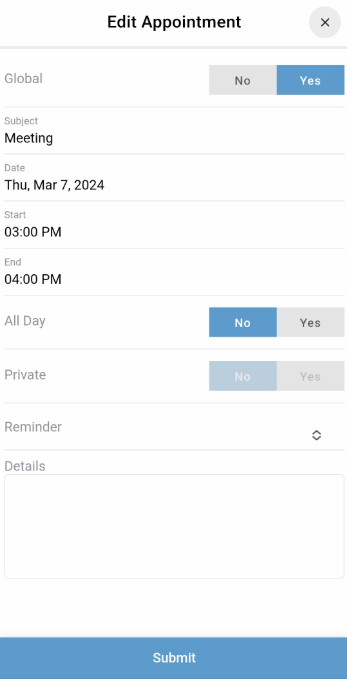
The BestNotes mobile calendar allows you to view personal and other user appointments (with appropriate access) and create new personal appointments directly from your mobile device.
Permissions Required
No specific BestNotes permissions are required.
Using the Mobile Calendar
Mobile Calendar Limitations
- The mobile application only allows the logged-in user to create personal appointments.
- It does not support scheduling appointments for other providers.
- It does not support scheduling appointments with clients.
- The mobile application only creates standard appointments; it cannot assign specific appointment types for note or ledger item generation.
- It is not possible to "Check-In" or "Begin Appointment" for an existing appointment in the mobile application.
- The above limitations also apply to editing existing appointments.
Note: These features are all available in the desktop version.
Creating an Appointment
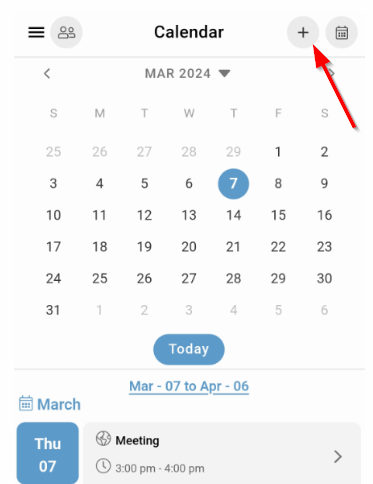
- Tap the "plus" (+) icon at the top right corner of the screen.
- Complete the necessary fields.
- Tap "Submit".
Editing an Appointment
- Tap the appointment that needs to be edited.
- Tap the "edit" icon (paper & pen) at the top right corner of the screen.
- Make the necessary changes.
- Tap "Submit".